

Benefits
- Configurable alert thresholds and escalation
- Reduce false positives with intelligent retries
- Fixed, linear, and exponential backoff options
- Multiple notification channels and integrations
- Location-based failure filtering
Alert Settings
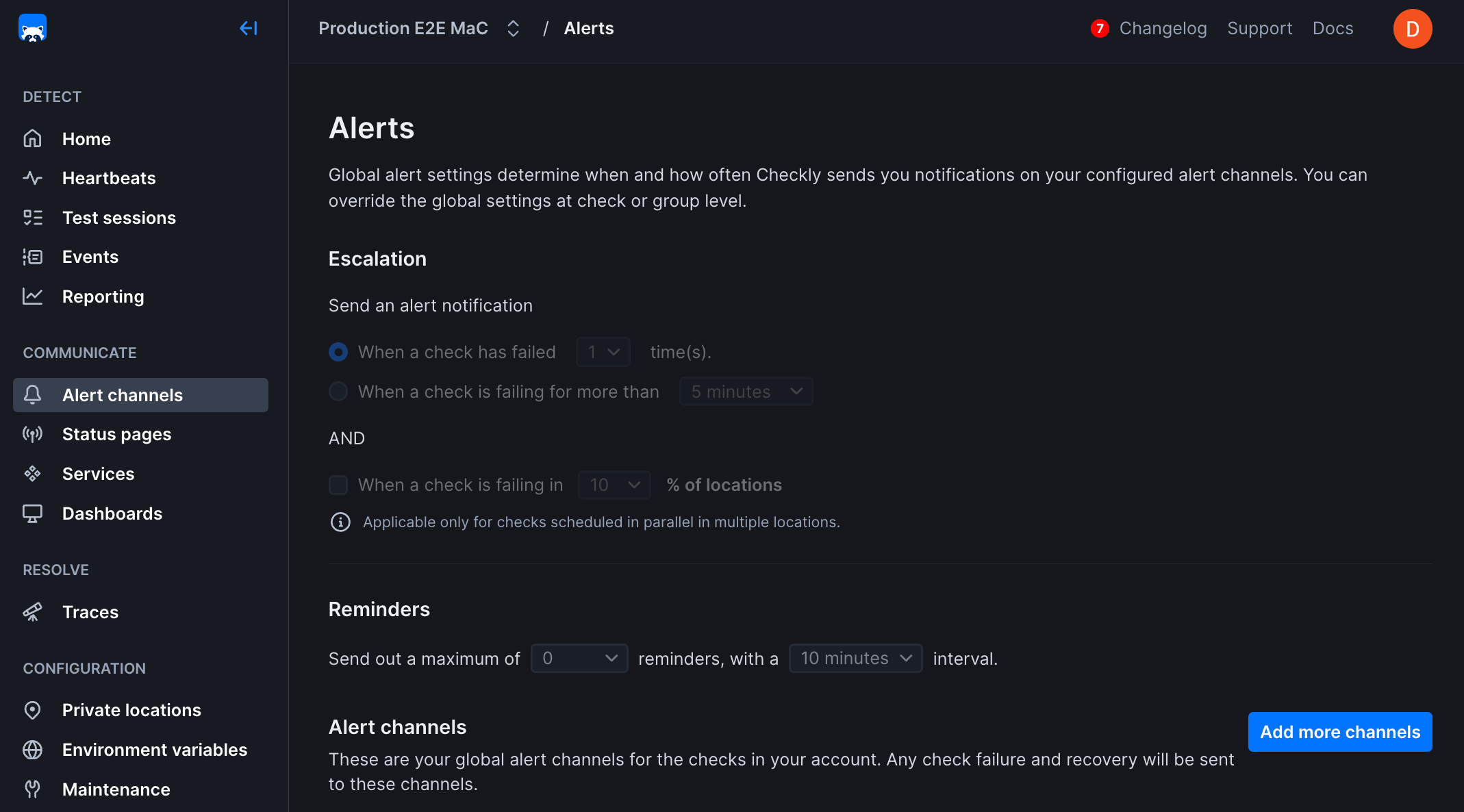
The alert settings screen gives you the options to tailor when, how and how often you want to be alerted when a check fails at the Account Level. This is also sometimes referred to as threshold alerting. For example:- Get an alert on the second or third failure.
- Get an alert after 5 minutes of failures.
- Get one or more reminders after a failure is triggered.
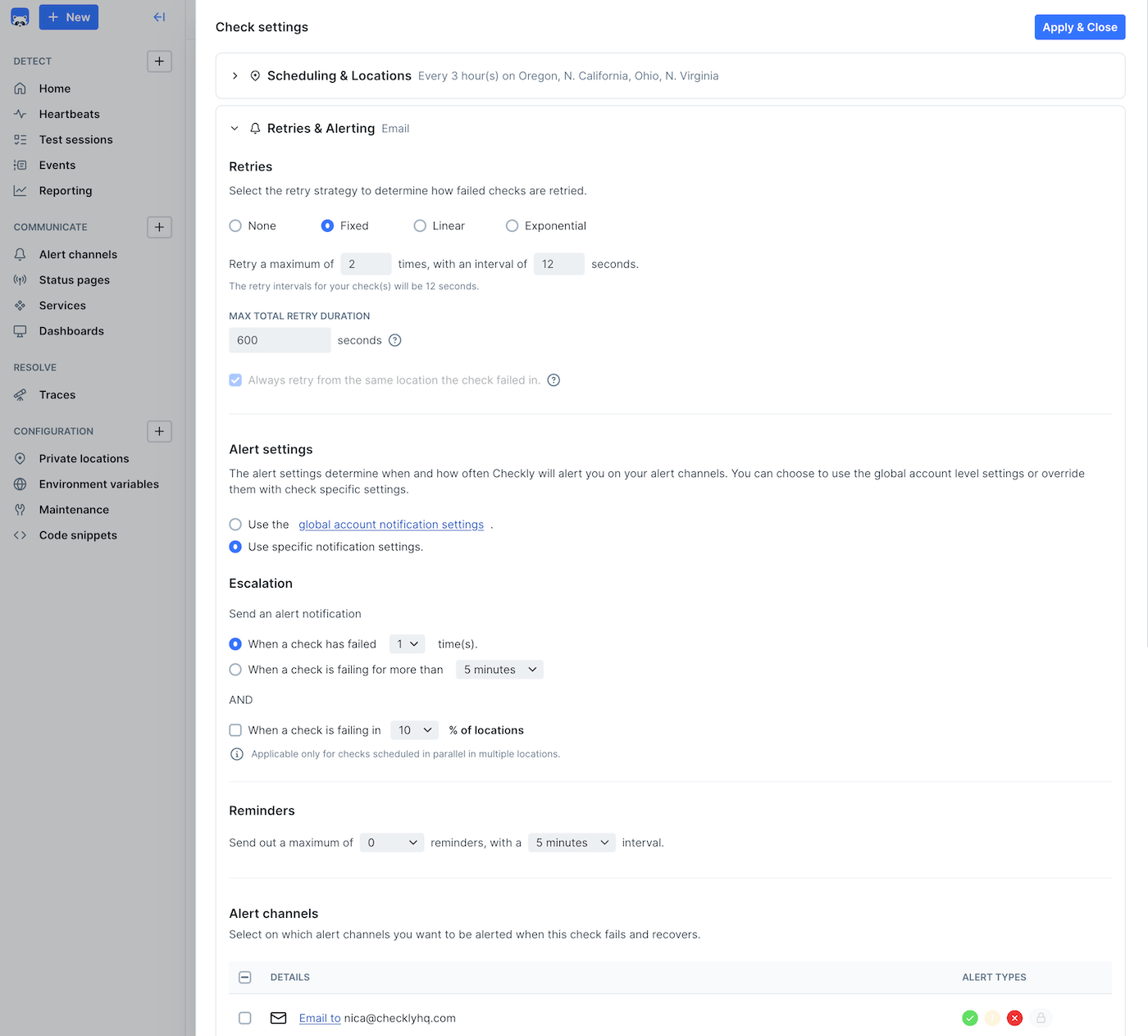
- Account level: This is the default level and applies to all of your check unless you override these settings at the check level.
- Group level: You can explicitly override the alert settings at the group level.
- Check level: You can explicitly override the account alert settings per check. Very handy for debugging or other one-off cases.
You can select whether group settings will override individual check settings for alerts, retries, scheduling, and location
Alert Channels
When adding a channel, you can select which checks to subscribe to the channel. This way you can create specific routings for specific checks.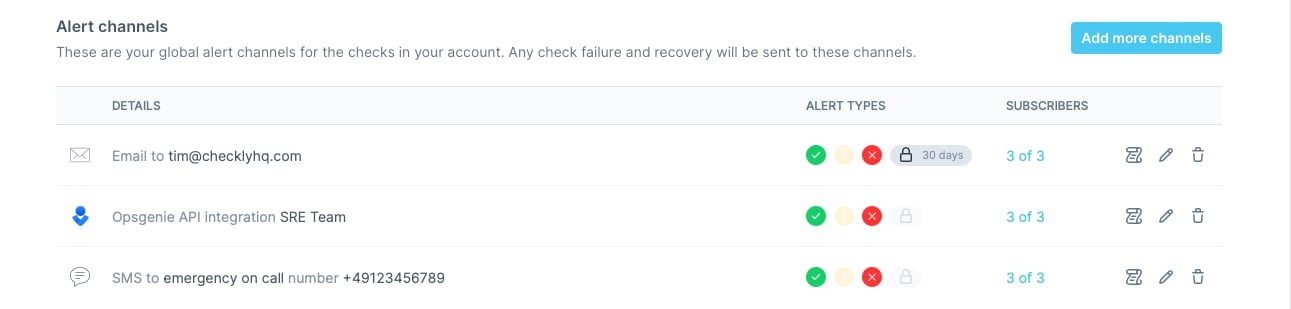
- Failure: When a check encounters a hard error.
- Degradation: When a checks is just slow, but still working.
- Recovery: When a check recovers from either failing or being degraded.
- SSL certificate expirations
If you are using Terraform or the CLI, you will need to specify alert channel subscriptions explicitly for each check / group.
Alert States
Sending out alert notifications like emails and Slack hooks depends on four factors:- The alert state of the check, e.g. “passing”, “degraded” or “failing”.
- The transition between these states.
- Your threshold alerting preferences, e.g. “alert after two failures” or “alert after 5 minutes of failures”.
- Your notification preferences per alert channel.
Note: Browser checks currently do not have a degraded state.